> For the complete documentation index, see [llms.txt](https://guide.strikepack.com/llms.txt). Markdown versions of documentation pages are available by appending `.md` to page URLs; this page is available as [Markdown](https://guide.strikepack.com/horizon/manuals/gamepack/weaponswapmode/direct.md).

# Direct

<div data-full-width="false"><figure><img src="https://1841283601-files.gitbook.io/~/files/v0/b/gitbook-x-prod.appspot.com/o/spaces%2FFYraHizgjOptWmwCAGKE%2Fuploads%2FTfmAGiSjZda1qLX7RCfA%2Fline_horizon_flipped.png?alt=media&amp;token=89672410-9e30-495d-9551-51526f156405" alt=""><figcaption></figcaption></figure></div>

## Direct

<div data-full-width="false"><figure><img src="https://1841283601-files.gitbook.io/~/files/v0/b/gitbook-x-prod.appspot.com/o/spaces%2FFYraHizgjOptWmwCAGKE%2Fuploads%2F5Jx5Tu6u1wor8lUxYxMw%2Fline_horizon.png?alt=media&amp;token=7db97041-9d92-468c-9c18-a0fcbb400984" alt=""><figcaption></figcaption></figure></div>

{% hint style="info" %}
For STRIKEPACK HORIZON™ & VISTA™ products with STRIKEPACK CENTRAL™ app.
{% endhint %}

<details>

<summary>Page Contents</summary>

[**Direct**](#direct)

[**Controller Shortcuts**](#controller-shortcuts)

[**Further Details**](#further-details)

</details>

**Weapon Swap**: "**Direct**" is NOT tied down to any specific game's weapon system, supporting almost every shooter.  It is simplistic, without any extra features, and is best suited to players who manage their reloads well and avoid switching weapons during a firefight.

{% hint style="warning" %}
When a game-specific GAMEPACK lacks a Weapon Swap Mode setting, Direct will be its sole configuration.  Our team chooses Direct when a game's weapon system is too complex to effectively track.
{% endhint %}

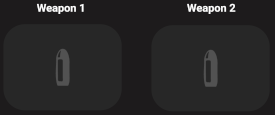
With Direct, you can directly swap between all eight **Weapon Slots** and assign different Weapon M.O.D.s, Anti-Recoil, and settings as you see fit:

<table data-header-hidden><thead><tr><th>Image</th><th>Image 2</th><th data-hidden></th></tr></thead><tbody><tr><td><img src="https://1841283601-files.gitbook.io/~/files/v0/b/gitbook-x-prod.appspot.com/o/spaces%2FFYraHizgjOptWmwCAGKE%2Fuploads%2F0IiL2kaKoEa6wuWJiQ1k%2FActive_Weapon.png?alt=media&amp;token=09f11bf9-07b4-484a-9b6c-5d3b047c612b" alt="" data-size="original"><img src="https://1841283601-files.gitbook.io/~/files/v0/b/gitbook-x-prod.appspot.com/o/spaces%2FFYraHizgjOptWmwCAGKE%2Fuploads%2F5VQscvQXsInDSwP6P3og%2FDirect_1_2_Not_Active.png?alt=media&amp;token=d35fb3a0-ef79-4d32-bd82-570d9f864f2e" alt="" data-size="original"></td><td><img src="https://1841283601-files.gitbook.io/~/files/v0/b/gitbook-x-prod.appspot.com/o/spaces%2FFYraHizgjOptWmwCAGKE%2Fuploads%2FgehWEQnolcc1Z1d1cOGp%2FDirect_Hybrid_App_Weapon3.png?alt=media&amp;token=4fd29174-d275-4045-b729-24a448f2ba50" alt="" data-size="original"></td><td></td></tr></tbody></table>

<div data-full-width="false"><figure><img src="https://1841283601-files.gitbook.io/~/files/v0/b/gitbook-x-prod.appspot.com/o/spaces%2FFYraHizgjOptWmwCAGKE%2Fuploads%2FTfmAGiSjZda1qLX7RCfA%2Fline_horizon_flipped.png?alt=media&amp;token=89672410-9e30-495d-9551-51526f156405" alt=""><figcaption></figcaption></figure></div>

### Controller Shortcuts

<div data-full-width="false"><figure><img src="https://1841283601-files.gitbook.io/~/files/v0/b/gitbook-x-prod.appspot.com/o/spaces%2FFYraHizgjOptWmwCAGKE%2Fuploads%2F5Jx5Tu6u1wor8lUxYxMw%2Fline_horizon.png?alt=media&amp;token=7db97041-9d92-468c-9c18-a0fcbb400984" alt=""><figcaption></figcaption></figure></div>

Only the **ACTIVE Weapon Slot** will affect your controls.  It is indicated via the App Dashboard & STRIKEPACK™ LEDs.

**To swap between Weapon Slots**:

{% tabs %}
{% tab title="Xbox®" %} <mark style="color:green;">**XB**</mark><mark style="color:green;">:</mark> :warning:**DO NOT** hold LT/L2/Left Trigger:warning:, then while <img src="https://1841283601-files.gitbook.io/~/files/v0/b/gitbook-x-prod.appspot.com/o/spaces%2FFYraHizgjOptWmwCAGKE%2Fuploads%2FjeFucKQmm4rrUhSHlHZZ%2Fview.png?alt=media&amp;token=a2cc8763-fb61-455c-a427-838c9d2b0042" alt="" data-size="line">**VIEW**/**ACTIVATOR** is <img src="https://1841283601-files.gitbook.io/~/files/v0/b/gitbook-x-prod.appspot.com/o/spaces%2FFYraHizgjOptWmwCAGKE%2Fuploads%2FKf1qxFFk6XYE4XZ4Srho%2FHold_Icon_2.svg?alt=media&amp;token=b8e4d9ec-e7cc-40ea-afa9-c3b4d366a2b8" alt="" data-size="line">**HELD**, the following shortcuts can be activated in quick succession:

<img src="https://1841283601-files.gitbook.io/~/files/v0/b/gitbook-x-prod.appspot.com/o/spaces%2FFYraHizgjOptWmwCAGKE%2Fuploads%2FfVoANS7N8s2Quk87c3nF%2FTap_Icon_2.svg?alt=media&amp;token=7606b2c3-1001-4810-8b4b-5648d0c557e6" alt="" data-size="line">**TAP FACE BUTTON**:

<img src="https://1841283601-files.gitbook.io/~/files/v0/b/gitbook-x-prod.appspot.com/o/spaces%2FFYraHizgjOptWmwCAGKE%2Fuploads%2FHZRkd8MxOT7mZzPnmMWr%2FXB_Y.svg?alt=media&amp;token=a25a5c88-68f2-4ede-8b05-03bfe722bf67" alt="Y" data-size="line"><img src="https://1841283601-files.gitbook.io/~/files/v0/b/gitbook-x-prod.appspot.com/o/spaces%2FFYraHizgjOptWmwCAGKE%2Fuploads%2F6fcfxyBgHHjGddZoz1v5%2FRGB_WEP1_TEXTBODY_NEW.png?alt=media&amp;token=58f2501c-c981-4fad-bbb6-abea73e98357" alt="WEAPON 1" data-size="line">

<img src="https://1841283601-files.gitbook.io/~/files/v0/b/gitbook-x-prod.appspot.com/o/spaces%2FFYraHizgjOptWmwCAGKE%2Fuploads%2FCHkF3PX1D6nsfJ5mPGfI%2FXB_B.svg?alt=media&amp;token=af3d5713-fb98-4b96-bd06-4bfdae0a130b" alt="B" data-size="line"><img src="https://1841283601-files.gitbook.io/~/files/v0/b/gitbook-x-prod.appspot.com/o/spaces%2FFYraHizgjOptWmwCAGKE%2Fuploads%2FKKOOOjmriZqXAulsDNAl%2FRGB_WEP2_TEXTBODY_NEW.png?alt=media&amp;token=27a10fcd-17e9-4cf5-8f54-94d02e34b0fe" alt="WEAPON 2" data-size="line">

<img src="https://1841283601-files.gitbook.io/~/files/v0/b/gitbook-x-prod.appspot.com/o/spaces%2FFYraHizgjOptWmwCAGKE%2Fuploads%2FVY9Q5ThJs4rVGjZUFQ3a%2FXB_A.svg?alt=media&amp;token=5d2fd4a0-d026-42ec-ac01-080f9013a3c4" alt="A" data-size="line"><img src="https://1841283601-files.gitbook.io/~/files/v0/b/gitbook-x-prod.appspot.com/o/spaces%2FFYraHizgjOptWmwCAGKE%2Fuploads%2FUsNUtVaqVc25aD6Yzzhs%2FRGB_WEP3_TEXTBODY_NEW.png?alt=media&amp;token=54190ed0-5b3d-417d-8cc2-7f11ce8847d6" alt="WEAPON 3" data-size="line">

<img src="https://1841283601-files.gitbook.io/~/files/v0/b/gitbook-x-prod.appspot.com/o/spaces%2FFYraHizgjOptWmwCAGKE%2Fuploads%2Frah8ug29pHENumtjyMVn%2FXB_X.svg?alt=media&amp;token=e0220878-1bf9-4ccc-ab97-dcb9c53152de" alt="X" data-size="line"><img src="https://1841283601-files.gitbook.io/~/files/v0/b/gitbook-x-prod.appspot.com/o/spaces%2FFYraHizgjOptWmwCAGKE%2Fuploads%2FXtJ3vOLj5siXZHeNn8fa%2FRGB_WEP4_TEXTBODY_NEW.png?alt=media&amp;token=f9192f54-acd7-4503-afd1-2d89a2493ae6" alt="WEAPON 4" data-size="line">

***

If while <img src="https://1841283601-files.gitbook.io/~/files/v0/b/gitbook-x-prod.appspot.com/o/spaces%2FFYraHizgjOptWmwCAGKE%2Fuploads%2FjeFucKQmm4rrUhSHlHZZ%2Fview.png?alt=media&amp;token=a2cc8763-fb61-455c-a427-838c9d2b0042" alt="" data-size="line">**VIEW**/**ACTIVATOR** is <img src="https://1841283601-files.gitbook.io/~/files/v0/b/gitbook-x-prod.appspot.com/o/spaces%2FFYraHizgjOptWmwCAGKE%2Fuploads%2FKf1qxFFk6XYE4XZ4Srho%2FHold_Icon_2.svg?alt=media&amp;token=b8e4d9ec-e7cc-40ea-afa9-c3b4d366a2b8" alt="" data-size="line">**HELD**, <img src="https://1841283601-files.gitbook.io/~/files/v0/b/gitbook-x-prod.appspot.com/o/spaces%2FFYraHizgjOptWmwCAGKE%2Fuploads%2Fx6AIiYcgKqZ6jgSpyHVX%2FXB_LT.svg?alt=media&amp;token=4a103bd3-939c-45e6-b453-5c796d120df9" alt="" data-size="line">**LEFT TRIGGER** is then <img src="https://1841283601-files.gitbook.io/~/files/v0/b/gitbook-x-prod.appspot.com/o/spaces%2FFYraHizgjOptWmwCAGKE%2Fuploads%2FKf1qxFFk6XYE4XZ4Srho%2FHold_Icon_2.svg?alt=media&amp;token=b8e4d9ec-e7cc-40ea-afa9-c3b4d366a2b8" alt="" data-size="line">**HELD** alongside it, the following shortcuts can be activated in quick succession:

<img src="https://1841283601-files.gitbook.io/~/files/v0/b/gitbook-x-prod.appspot.com/o/spaces%2FFYraHizgjOptWmwCAGKE%2Fuploads%2FfVoANS7N8s2Quk87c3nF%2FTap_Icon_2.svg?alt=media&amp;token=7606b2c3-1001-4810-8b4b-5648d0c557e6" alt="" data-size="line">**TAP FACE BUTTON**:

<img src="https://1841283601-files.gitbook.io/~/files/v0/b/gitbook-x-prod.appspot.com/o/spaces%2FFYraHizgjOptWmwCAGKE%2Fuploads%2FHZRkd8MxOT7mZzPnmMWr%2FXB_Y.svg?alt=media&amp;token=a25a5c88-68f2-4ede-8b05-03bfe722bf67" alt="Y" data-size="line"><img src="https://1841283601-files.gitbook.io/~/files/v0/b/gitbook-x-prod.appspot.com/o/spaces%2FFYraHizgjOptWmwCAGKE%2Fuploads%2F3QvrQIkq5Sq3BH5mz7Fu%2FRGB_LED_WEP5ANIM_TEXTBODY.gif?alt=media&amp;token=012230aa-4068-4513-82d5-820c57e62b1c" alt="WEAPON 5" data-size="line">

<img src="https://1841283601-files.gitbook.io/~/files/v0/b/gitbook-x-prod.appspot.com/o/spaces%2FFYraHizgjOptWmwCAGKE%2Fuploads%2FCHkF3PX1D6nsfJ5mPGfI%2FXB_B.svg?alt=media&amp;token=af3d5713-fb98-4b96-bd06-4bfdae0a130b" alt="B" data-size="line"><img src="https://1841283601-files.gitbook.io/~/files/v0/b/gitbook-x-prod.appspot.com/o/spaces%2FFYraHizgjOptWmwCAGKE%2Fuploads%2Fcq7PabZV48f4P9fIkIMH%2FRGB_LED_WEP6ANIM_TEXTBODY.gif?alt=media&amp;token=09585d70-3b3d-432d-b0fc-21251873612c" alt="WEAPON 6" data-size="line">

<img src="https://1841283601-files.gitbook.io/~/files/v0/b/gitbook-x-prod.appspot.com/o/spaces%2FFYraHizgjOptWmwCAGKE%2Fuploads%2FVY9Q5ThJs4rVGjZUFQ3a%2FXB_A.svg?alt=media&amp;token=5d2fd4a0-d026-42ec-ac01-080f9013a3c4" alt="A" data-size="line"><img src="https://1841283601-files.gitbook.io/~/files/v0/b/gitbook-x-prod.appspot.com/o/spaces%2FFYraHizgjOptWmwCAGKE%2Fuploads%2FA2qiJRVvgTfrxLg2M57L%2FRGB_LED_WEP7ANIM_TEXTBODY.gif?alt=media&amp;token=ea6003f7-5f45-49c4-a912-3839a843822f" alt="WEAPON 7" data-size="line">

<img src="https://1841283601-files.gitbook.io/~/files/v0/b/gitbook-x-prod.appspot.com/o/spaces%2FFYraHizgjOptWmwCAGKE%2Fuploads%2Frah8ug29pHENumtjyMVn%2FXB_X.svg?alt=media&amp;token=e0220878-1bf9-4ccc-ab97-dcb9c53152de" alt="X" data-size="line"><img src="https://1841283601-files.gitbook.io/~/files/v0/b/gitbook-x-prod.appspot.com/o/spaces%2FFYraHizgjOptWmwCAGKE%2Fuploads%2F9To90tGLeVOZ6hqHniPh%2FRGB_LED_WEP8ANIM_TEXTBODY.gif?alt=media&amp;token=68f85168-3f90-4c4e-a80b-fcccc6065847" alt="WEAPON 8" data-size="line">

***

<figure><img src="https://1841283601-files.gitbook.io/~/files/v0/b/gitbook-x-prod.appspot.com/o/spaces%2FFYraHizgjOptWmwCAGKE%2Fuploads%2Fx631NIxcm4lDEVhqOA2Q%2FXB_Controller_Alt_Direct_Swap.gif?alt=media&amp;token=df305423-5cd1-4ac3-815b-98606f2abef4" alt=""><figcaption></figcaption></figure>

***

{% hint style="info" %}
**Tips** -&#x20;

***

Quickly releasing, or <img src="https://1841283601-files.gitbook.io/~/files/v0/b/gitbook-x-prod.appspot.com/o/spaces%2FFYraHizgjOptWmwCAGKE%2Fuploads%2FKf1qxFFk6XYE4XZ4Srho%2FHold_Icon_2.svg?alt=media&amp;token=b8e4d9ec-e7cc-40ea-afa9-c3b4d366a2b8" alt="" data-size="line">**HOLDING** <img src="https://1841283601-files.gitbook.io/~/files/v0/b/gitbook-x-prod.appspot.com/o/spaces%2FFYraHizgjOptWmwCAGKE%2Fuploads%2FjeFucKQmm4rrUhSHlHZZ%2Fview.png?alt=media&amp;token=a2cc8763-fb61-455c-a427-838c9d2b0042" alt="" data-size="line">**ACTIVATOR** too long will pass through the normal button input, triggering in-game menus, so strive to activate shortcuts swiftly.

***

On the App Dashboard, <img src="https://1841283601-files.gitbook.io/~/files/v0/b/gitbook-x-prod.appspot.com/o/spaces%2FFYraHizgjOptWmwCAGKE%2Fuploads%2FfVoANS7N8s2Quk87c3nF%2FTap_Icon_2.svg?alt=media&amp;token=7606b2c3-1001-4810-8b4b-5648d0c557e6" alt="" data-size="line">**TAPPING** an inactive slot will swap to it, making it **ACTIVE**.  <img src="https://1841283601-files.gitbook.io/~/files/v0/b/gitbook-x-prod.appspot.com/o/spaces%2FFYraHizgjOptWmwCAGKE%2Fuploads%2FfVoANS7N8s2Quk87c3nF%2FTap_Icon_2.svg?alt=media&amp;token=7606b2c3-1001-4810-8b4b-5648d0c557e6" alt="" data-size="line">**TAPPING** the **ACTIVE Slot** will cycle between its currently assigned Fire Mode, Regular Fire, and Rapid Fire.
{% endhint %}
{% endtab %}

{% tab title="DualSense®" %} <mark style="color:blue;">**DS**</mark><mark style="color:blue;">:</mark> :warning:**DO NOT** hold left trigger:warning:, then while <img src="https://1841283601-files.gitbook.io/~/files/v0/b/gitbook-x-prod.appspot.com/o/spaces%2FFYraHizgjOptWmwCAGKE%2Fuploads%2FD5RM9RL5jMdIbXH2tWCB%2FPS_Touchpad.svg?alt=media&amp;token=48b924b1-4439-4d3f-ad49-d67d85959152" alt="" data-size="line">**TOUCH**/**ACTIVATOR** is <img src="https://1841283601-files.gitbook.io/~/files/v0/b/gitbook-x-prod.appspot.com/o/spaces%2FFYraHizgjOptWmwCAGKE%2Fuploads%2FKf1qxFFk6XYE4XZ4Srho%2FHold_Icon_2.svg?alt=media&amp;token=b8e4d9ec-e7cc-40ea-afa9-c3b4d366a2b8" alt="" data-size="line">**HELD**, the following shortcuts can be activated in quick succession:

<img src="https://1841283601-files.gitbook.io/~/files/v0/b/gitbook-x-prod.appspot.com/o/spaces%2FFYraHizgjOptWmwCAGKE%2Fuploads%2FfVoANS7N8s2Quk87c3nF%2FTap_Icon_2.svg?alt=media&amp;token=7606b2c3-1001-4810-8b4b-5648d0c557e6" alt="" data-size="line">**TAP FACE BUTTON**:

<img src="https://1841283601-files.gitbook.io/~/files/v0/b/gitbook-x-prod.appspot.com/o/spaces%2FFYraHizgjOptWmwCAGKE%2Fuploads%2FXWn6ajhSzakztax6DQrG%2FPS_Triangle.svg?alt=media&amp;token=40644099-daac-4af8-9b2e-ef7b8b18fca6" alt="TRIANGLE" data-size="line"><img src="https://1841283601-files.gitbook.io/~/files/v0/b/gitbook-x-prod.appspot.com/o/spaces%2FFYraHizgjOptWmwCAGKE%2Fuploads%2FvsiFzckfQdVVEBEBMZ7o%2FRGB_WEP1_TEXTBODY_NEW_PS.png?alt=media&amp;token=13a1154f-0ad7-4032-82cc-cadfafbbabea" alt="WEAPON 1" data-size="line">

<img src="https://1841283601-files.gitbook.io/~/files/v0/b/gitbook-x-prod.appspot.com/o/spaces%2FFYraHizgjOptWmwCAGKE%2Fuploads%2FLBpPQT5PvIQ1UWuQcyoq%2FPS_Circle.svg?alt=media&amp;token=97c23db5-7ef1-4db5-b89d-0d7bd3c4fec9" alt="CIRCLE" data-size="line"><img src="https://1841283601-files.gitbook.io/~/files/v0/b/gitbook-x-prod.appspot.com/o/spaces%2FFYraHizgjOptWmwCAGKE%2Fuploads%2FyotHXsgTf0ll48KJfWDV%2FRGB_WEP2_TEXTBODY_NEW_PS.png?alt=media&amp;token=cbb71a83-d544-4632-8e09-051ac9896d44" alt="WEAPON 2" data-size="line">

<img src="https://1841283601-files.gitbook.io/~/files/v0/b/gitbook-x-prod.appspot.com/o/spaces%2FFYraHizgjOptWmwCAGKE%2Fuploads%2FEGN2XLpUO42he5WhxTrg%2FPS_Cross.svg?alt=media&amp;token=079dab43-bf48-42a6-ac56-4fe266dfe25c" alt="CROSS" data-size="line"><img src="https://1841283601-files.gitbook.io/~/files/v0/b/gitbook-x-prod.appspot.com/o/spaces%2FFYraHizgjOptWmwCAGKE%2Fuploads%2FRqCjc1fbg82MdU0tZdeY%2FRGB_WEP3_TEXTBODY_NEW_PS.png?alt=media&amp;token=4e6ee899-10b0-4868-9a30-e17cb99326aa" alt="WEAPON 3" data-size="line">

<img src="https://1841283601-files.gitbook.io/~/files/v0/b/gitbook-x-prod.appspot.com/o/spaces%2FFYraHizgjOptWmwCAGKE%2Fuploads%2FtaJ0mEW2g9iZZNuICa0x%2FPS_Square.svg?alt=media&amp;token=65ece527-062e-4186-976b-c6256f06d770" alt="SQUARE" data-size="line"><img src="https://1841283601-files.gitbook.io/~/files/v0/b/gitbook-x-prod.appspot.com/o/spaces%2FFYraHizgjOptWmwCAGKE%2Fuploads%2FhHNGQd9FcUFZEUSGQxu1%2FRGB_WEP4_TEXTBODY_NEW_PS.png?alt=media&amp;token=97e928d0-15e2-4c5c-90cb-0dde404c291f" alt="WEAPON 4" data-size="line">

***

If while <img src="https://1841283601-files.gitbook.io/~/files/v0/b/gitbook-x-prod.appspot.com/o/spaces%2FFYraHizgjOptWmwCAGKE%2Fuploads%2FD5RM9RL5jMdIbXH2tWCB%2FPS_Touchpad.svg?alt=media&amp;token=48b924b1-4439-4d3f-ad49-d67d85959152" alt="" data-size="line">**TOUCH**/**ACTIVATOR** is <img src="https://1841283601-files.gitbook.io/~/files/v0/b/gitbook-x-prod.appspot.com/o/spaces%2FFYraHizgjOptWmwCAGKE%2Fuploads%2FKf1qxFFk6XYE4XZ4Srho%2FHold_Icon_2.svg?alt=media&amp;token=b8e4d9ec-e7cc-40ea-afa9-c3b4d366a2b8" alt="" data-size="line">**HELD**, <img src="https://1841283601-files.gitbook.io/~/files/v0/b/gitbook-x-prod.appspot.com/o/spaces%2FFYraHizgjOptWmwCAGKE%2Fuploads%2FSMItG6tUkLOSijgzc2j1%2FPS_L2.svg?alt=media&amp;token=df5a4ab5-8fa2-45ee-9d48-2829ba26ec7f" alt="" data-size="line">**LEFT TRIGGER** is then <img src="https://1841283601-files.gitbook.io/~/files/v0/b/gitbook-x-prod.appspot.com/o/spaces%2FFYraHizgjOptWmwCAGKE%2Fuploads%2FKf1qxFFk6XYE4XZ4Srho%2FHold_Icon_2.svg?alt=media&amp;token=b8e4d9ec-e7cc-40ea-afa9-c3b4d366a2b8" alt="" data-size="line">**HELD** alongside it, the following shortcuts can be activated in quick succession:

<img src="https://1841283601-files.gitbook.io/~/files/v0/b/gitbook-x-prod.appspot.com/o/spaces%2FFYraHizgjOptWmwCAGKE%2Fuploads%2FfVoANS7N8s2Quk87c3nF%2FTap_Icon_2.svg?alt=media&amp;token=7606b2c3-1001-4810-8b4b-5648d0c557e6" alt="" data-size="line">**TAP FACE BUTTON**:

<img src="https://1841283601-files.gitbook.io/~/files/v0/b/gitbook-x-prod.appspot.com/o/spaces%2FFYraHizgjOptWmwCAGKE%2Fuploads%2FXWn6ajhSzakztax6DQrG%2FPS_Triangle.svg?alt=media&amp;token=40644099-daac-4af8-9b2e-ef7b8b18fca6" alt="TRIANGLE" data-size="line"><img src="https://1841283601-files.gitbook.io/~/files/v0/b/gitbook-x-prod.appspot.com/o/spaces%2FFYraHizgjOptWmwCAGKE%2Fuploads%2FnWUxpozDzFSZ09Ojaq0R%2FRGB_LED_WEP5ANIM_TEXTBODY_PS.gif?alt=media&amp;token=a7107d5e-a6ef-4003-8753-c8d0c7b39418" alt="WEAPON 5" data-size="line">

<img src="https://1841283601-files.gitbook.io/~/files/v0/b/gitbook-x-prod.appspot.com/o/spaces%2FFYraHizgjOptWmwCAGKE%2Fuploads%2FLBpPQT5PvIQ1UWuQcyoq%2FPS_Circle.svg?alt=media&amp;token=97c23db5-7ef1-4db5-b89d-0d7bd3c4fec9" alt="CIRCLE" data-size="line"><img src="https://1841283601-files.gitbook.io/~/files/v0/b/gitbook-x-prod.appspot.com/o/spaces%2FFYraHizgjOptWmwCAGKE%2Fuploads%2FTxAFSbCl1gbCSXWO4qUD%2FRGB_LED_WEP6ANIM_TEXTBODY_PS.gif?alt=media&amp;token=75c772d2-77c0-4c56-a270-79686f19d0dc" alt="WEAPON 6" data-size="line">

<img src="https://1841283601-files.gitbook.io/~/files/v0/b/gitbook-x-prod.appspot.com/o/spaces%2FFYraHizgjOptWmwCAGKE%2Fuploads%2FEGN2XLpUO42he5WhxTrg%2FPS_Cross.svg?alt=media&amp;token=079dab43-bf48-42a6-ac56-4fe266dfe25c" alt="CROSS" data-size="line"><img src="https://1841283601-files.gitbook.io/~/files/v0/b/gitbook-x-prod.appspot.com/o/spaces%2FFYraHizgjOptWmwCAGKE%2Fuploads%2F5WDqTlvgTllzPtUDSu5M%2FRGB_LED_WEP7ANIM_TEXTBODY_PS.gif?alt=media&amp;token=87c13730-69cd-4646-ac7f-f545a755f4e7" alt="WEAPON 7" data-size="line">

<img src="https://1841283601-files.gitbook.io/~/files/v0/b/gitbook-x-prod.appspot.com/o/spaces%2FFYraHizgjOptWmwCAGKE%2Fuploads%2FtaJ0mEW2g9iZZNuICa0x%2FPS_Square.svg?alt=media&amp;token=65ece527-062e-4186-976b-c6256f06d770" alt="SQUARE" data-size="line"><img src="https://1841283601-files.gitbook.io/~/files/v0/b/gitbook-x-prod.appspot.com/o/spaces%2FFYraHizgjOptWmwCAGKE%2Fuploads%2FQiZvq6MOpyC1li2r2EUo%2FRGB_LED_WEP8ANIM_TEXTBODY_PS.gif?alt=media&amp;token=c07786d0-b864-49d6-b095-bd44fe4f8bbb" alt="WEAPON 8" data-size="line">

***

<figure><img src="https://1841283601-files.gitbook.io/~/files/v0/b/gitbook-x-prod.appspot.com/o/spaces%2FFYraHizgjOptWmwCAGKE%2Fuploads%2Fbr4SRRCMer3D4cnjsbhD%2FWeapon_1_to_8_PS.gif?alt=media&amp;token=f56a4815-4380-4f4e-b035-f52268923172" alt=""><figcaption></figcaption></figure>

{% hint style="info" %}
**Tips** -

***

Quickly releasing, or <img src="https://1841283601-files.gitbook.io/~/files/v0/b/gitbook-x-prod.appspot.com/o/spaces%2FFYraHizgjOptWmwCAGKE%2Fuploads%2FKf1qxFFk6XYE4XZ4Srho%2FHold_Icon_2.svg?alt=media&amp;token=b8e4d9ec-e7cc-40ea-afa9-c3b4d366a2b8" alt="" data-size="line">**HOLDING** <img src="https://1841283601-files.gitbook.io/~/files/v0/b/gitbook-x-prod.appspot.com/o/spaces%2FFYraHizgjOptWmwCAGKE%2Fuploads%2FD5RM9RL5jMdIbXH2tWCB%2FPS_Touchpad.svg?alt=media&amp;token=48b924b1-4439-4d3f-ad49-d67d85959152" alt="" data-size="line">**ACTIVATOR** too long will pass through the normal button input, triggering in-game menus, so strive to activate shortcuts swiftly.

***

On the App Dashboard, <img src="https://1841283601-files.gitbook.io/~/files/v0/b/gitbook-x-prod.appspot.com/o/spaces%2FFYraHizgjOptWmwCAGKE%2Fuploads%2FfVoANS7N8s2Quk87c3nF%2FTap_Icon_2.svg?alt=media&amp;token=7606b2c3-1001-4810-8b4b-5648d0c557e6" alt="" data-size="line">**TAPPING** an inactive slot will swap to it, making it **ACTIVE**.  <img src="https://1841283601-files.gitbook.io/~/files/v0/b/gitbook-x-prod.appspot.com/o/spaces%2FFYraHizgjOptWmwCAGKE%2Fuploads%2FfVoANS7N8s2Quk87c3nF%2FTap_Icon_2.svg?alt=media&amp;token=7606b2c3-1001-4810-8b4b-5648d0c557e6" alt="" data-size="line">**TAPPING** the **ACTIVE Slot** will cycle between its currently assigned Fire Mode, Regular Fire, and Rapid Fire.
{% endhint %}
{% endtab %}
{% endtabs %}

<div data-full-width="false"><figure><img src="https://1841283601-files.gitbook.io/~/files/v0/b/gitbook-x-prod.appspot.com/o/spaces%2FFYraHizgjOptWmwCAGKE%2Fuploads%2FTfmAGiSjZda1qLX7RCfA%2Fline_horizon_flipped.png?alt=media&amp;token=89672410-9e30-495d-9551-51526f156405" alt=""><figcaption></figcaption></figure></div>

### Further Details

<div data-full-width="false"><figure><img src="https://1841283601-files.gitbook.io/~/files/v0/b/gitbook-x-prod.appspot.com/o/spaces%2FFYraHizgjOptWmwCAGKE%2Fuploads%2F5Jx5Tu6u1wor8lUxYxMw%2Fline_horizon.png?alt=media&amp;token=7db97041-9d92-468c-9c18-a0fcbb400984" alt=""><figcaption></figcaption></figure></div>

**BLOCK M**.**O**.**D**.**s** - Applying the wrong Weapon M.O.D.s & Anti-Recoil can have a detrimental effect, and this can be awkward if you pick up a random weapon with all your Weapon Slots occupied with settings.  Additionally, all M.O.D.s affect your controls indiscriminately and they CANNOT know what is currently happening in your gameplay.  Games often contextually reuse buttons.  Menus can be affected, your fire button with Rapid Fire may fail to accelerate a vehicle, your crouch button with Rapid Crouch may start switching seats, your special ability that requires you to hold a button may fail to function because a M.O.D. is rapidly pressing that button, and so on.  If you can, it is worth assigning one of your eight Weapon Slots to "BLOCK M.O.D.s".  This provides a shortcut to swap away from your M.O.D.s so you can take a break from them.


---

# Agent Instructions
This documentation is published with GitBook. GitBook is the documentation platform designed so that both humans and AI agents can read, navigate, and reason over technical content effectively. Learn more at gitbook.com.

## Querying This Documentation
If you need additional information that is not directly available in this page, you can query the documentation by asking a question.

Perform an HTTP GET request on the following URL with the `ask` and `goal` query parameters:

```
GET https://guide.strikepack.com/horizon/manuals/gamepack/weaponswapmode/direct.md?ask=<question>&goal=<user_goal>
```

`ask` is the immediate question: it should be specific, self-contained, and written in natural language.
`goal` is what the user is ultimately trying to achieve, the reason they need the answer. Sharing it helps GitBook give you a better, more relevant answer. A goal is most helpful when it describes the outcome the user wants rather than restating the question. For example, with `ask=how do I create an API token`, a goal like `automate deployments from our CI pipeline` lets GitBook tailor the answer to that use case.

The response will contain a direct answer to the question and relevant excerpts and sources from the documentation.

Use this mechanism when the answer is not explicitly present in the current page, you need clarification or additional context, or you want to retrieve related documentation sections.